Skip to content
Computer Fix Desk

Computer Fix Desk

  • All Articles
  • App
  • Coding
  • Hardware
  • More
    • Operating System
    • Outlook
    • PowerPoint
    • Software
    • Tip & Trick
    • Troubleshooting
    • Windows

All Recipes — Page 10

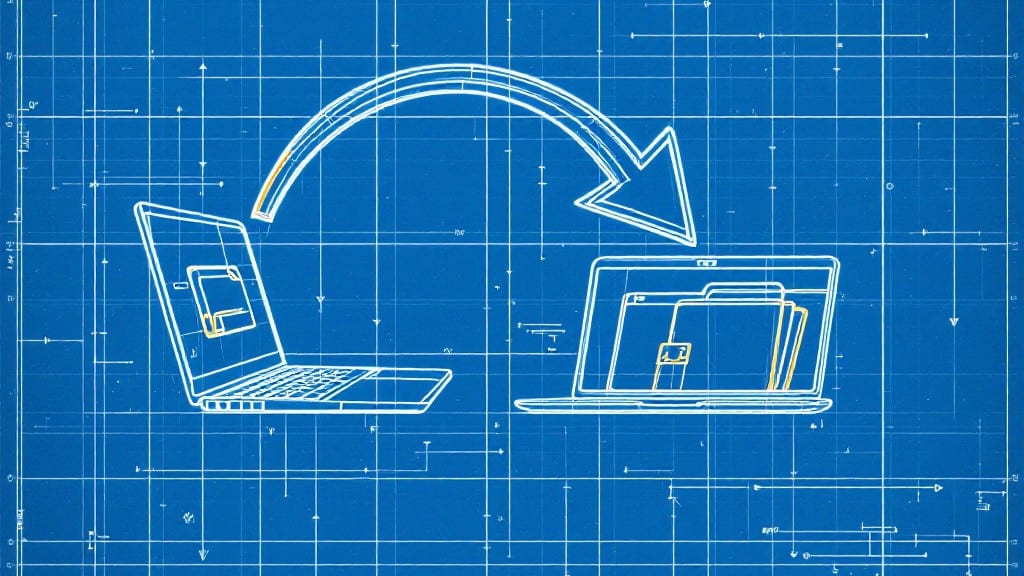
Transfer Files to New Computer Windows 8: Seamless Migration Without Data Loss Risks
October 10, 2026 by Clifford Thibodeaux
Transfer Files to New Computer Windows 8: Seamless Migration Without Data Loss Risks

Transferring files to a new Windows 8 computer doesn't have to be a headache—especially when you know the right methods. I've migrated data for dozens of users, and the key is choosing the right approach for your needs…

Read more

Categories Windows

U.S. States by Region in Excel: Free Downloadable Map Template

October 10, 2026 by Clifford Thibodeaux
U.S. States by Region in Excel: Free Downloadable Map Template

Organizing U.S. states by region in Excel cuts down on data entry errors and speeds up regional analysis for projects. Need a quick, accurate way to reference U.S. states by region for presentations, data analysis, or…

Read more

Categories Software

What Is a Handle Leak on a Computer: How It Exposes System Vulnerabilities

October 10, 2026 by Clifford Thibodeaux
What Is a Handle Leak on a Computer: How It Exposes System Vulnerabilities

💥 Quick Answer A handle leak on a computer happens when software fails to properly release file or system resource handles after finishing tasks, creating lingering connections that drain memory and slow down your…

Read more

Categories App

Where Is Computer Configuration in Windows 10: Exact System File Paths and Access Methods

October 10, 2026 by Clifford Thibodeaux
Where Is Computer Configuration in Windows 10: Exact System File Paths and Access Methods

💥 Quick Answer To find Computer Configuration in Windows 10, use the Run dialog (Win + R), type msconfig , or navigate through Control Panel > System and Security > Administrative Tools . It’s also accessible via the…

Read more

Categories Windows

How to Find Your Computer Serial Number: Instant Lookup Methods for Any Device

October 9, 2026 by Clifford Thibodeaux
How to Find Your Computer Serial Number: Instant Lookup Methods for Any Device

Finding your computer's serial number used to mean digging through manuals or booting into BIOS—until now. ✨ I’ve tracked down every method I’ve ever needed, from the sticker on the bottom of your laptop to hidden…

Read more

Categories Tip & Trick

How to Sync Outlook Calendar on Phone and Computer: Seamless Two-Way Updates in Minutes

October 9, 2026 by Clifford Thibodeaux
How to Sync Outlook Calendar on Phone and Computer: Seamless Two-Way Updates in Minutes

Syncing your Outlook calendar across phone and computer used to be a headache, but now it’s a five-minute setup that saves hours of back-and-forth. ✨ I’ve helped dozens of small business owners and busy professionals get…

Read more

Categories Outlook

How to Transfer Saved Passwords From Edge to New Computer: Zero-Loss Sync in 5 Minutes

October 9, 2026 by Clifford Thibodeaux
How to Transfer Saved Passwords From Edge to New Computer: Zero-Loss Sync in 5 Minutes

Transferring saved passwords from Edge to a new computer used to feel like digging through a junk drawer—until I discovered Microsoft's built-in sync tools. ✨ The process takes just five minutes if you follow the right…

Read more

Categories Tip & Trick

What Are Cookies in Computer Terms: How They Track and Store Your Data Simply Explained

October 9, 2026 by Clifford Thibodeaux
What Are Cookies in Computer Terms: How They Track and Store Your Data Simply Explained

💥 Quick Answer Cookies in computer terms are small text files websites store on your device to remember login details, browsing preferences, and track activity for personalized experiences or analytics. They don’t harm…

Read more

Categories Software

What Does a Processor Do for a Computer: Core Functions Explained Simply

October 9, 2026 by Clifford Thibodeaux
What Does a Processor Do for a Computer: Core Functions Explained Simply

💥 Quick Answer A processor acts as the computer's central brain by executing instructions, performing calculations, and managing all operations—from booting up to running programs and multitasking efficiently. A…

Read more

Categories Operating System

What Does Syncing Mean on a Computer: Real-Time Data Alignment Explained

October 9, 2026 by Clifford Thibodeaux
What Does Syncing Mean on a Computer: Real-Time Data Alignment Explained

💥 Quick Answer Syncing on a computer means automatically aligning files, settings, or data across multiple devices or storage locations in real time to ensure consistency. It keeps your emails, contacts, documents, and…

Read more

Categories Operating System
Page1…Page8Page9Page10Page11Page12Page13Next →

About Me

Clifford Thibodeaux

Clifford Thibodeaux
My first computer was a clunky desktop with a 56K modem that took forever to load a single webpage. That machine became my gateway to a world where I could fix problems, learn new things, and turn frustration into curiosity. Now, I run this site to make tech less intimidating—whether it’s troubleshooting a stubborn PC, mastering an operating system, or just figuring out why your printer won’t stop jamming. If I can help someone avoid pulling their hair out over a tech headache, I’ve done my job.

Learn more

Recent Posts

  • Windows Surface Pro Keyboard Not Working: Quick Fixes for Instant Functionality
    Windows Surface Pro Keyboard Not Working: Quick Fixes for Instant Functionality
  • Laptop Mouse Not Working: Driver Update Checklist for Instant Fixes
    Laptop Mouse Not Working: Driver Update Checklist for Instant Fixes
  • USB Ports Not Working Windows 10: One-Click Fixes for Instant Functionality
    USB Ports Not Working Windows 10: One-Click Fixes for Instant Functionality
  • My Authenticator App Is Not Working: Step-by-Step Fixes for Common Errors
    My Authenticator App Is Not Working: Step-by-Step Fixes for Common Errors
  • How to Get Your Computer to Read to You Windows 10: Enable Narrator in 3 Clicks
    How to Get Your Computer to Read to You Windows 10: Enable Narrator in 3 Clicks
  • All Guides
  • About
  • Contact
  • Privacy Policy
  • Cookie Policy
  • Terms of Use
© 2026 computerfixdesk.com